✨ Document Versioning
When preparing a board meeting agenda, documents are often updated multiple times — sometimes right up until the day before the meeting. The Document Versioning feature ensures that all participants always access the latest version, while keeping visibility on changes and preserving annotations ✍.
☝ What Is Document Versioning?
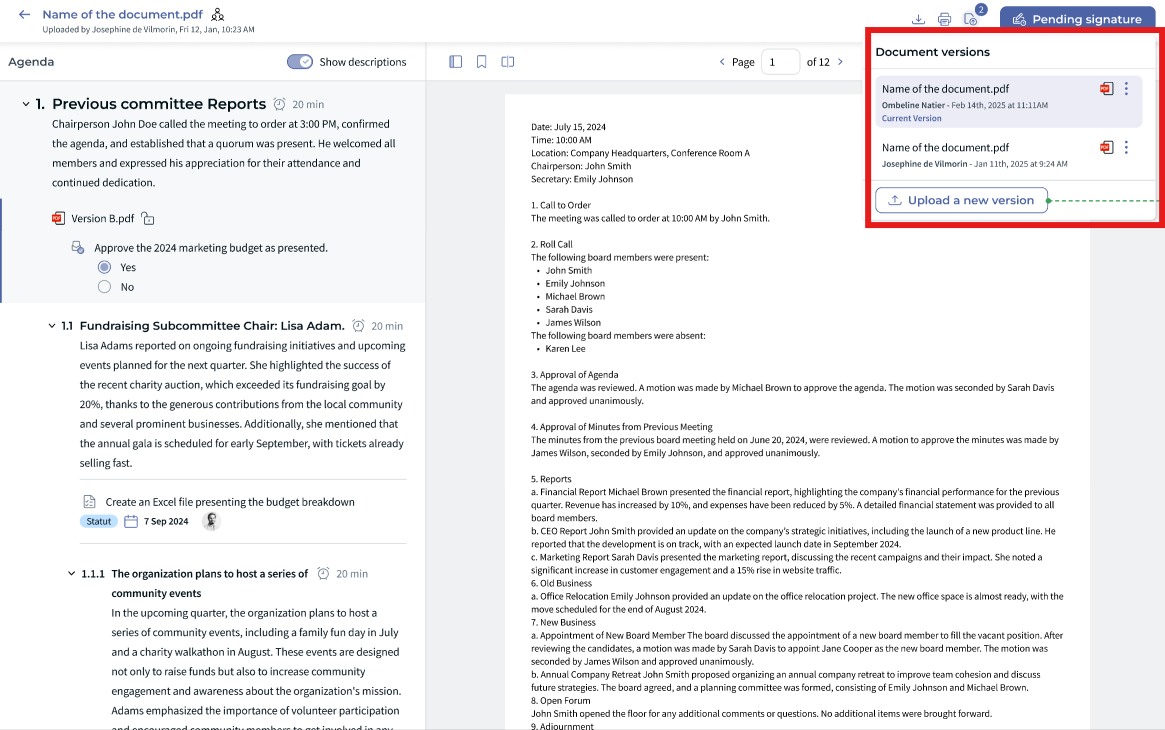
Document Versioning allows meeting organizers to update documents without breaking links or creating confusion. Each update creates a new version of the same document, ensuring:
- ✅ The agenda always points to the latest version
- ? Participants can see when a document has changed
- ✍ Annotations are preserved across versions
- ⚖️ A clear audit trail for governance
✍ For Meeting Organizers
As a meeting organizer, document versioning allows you to manage last-minute changes smoothly.
- Upload a new version of a document at any time during agenda preparation
- The document remains attached to the same agenda item
- Participants automatically see the latest version
- Previous versions remain accessible if needed
✅ No need to reattach documents or resend agendas.
☝For Board Members & Participants
As a participant reviewing the agenda, document versioning helps you stay informed.
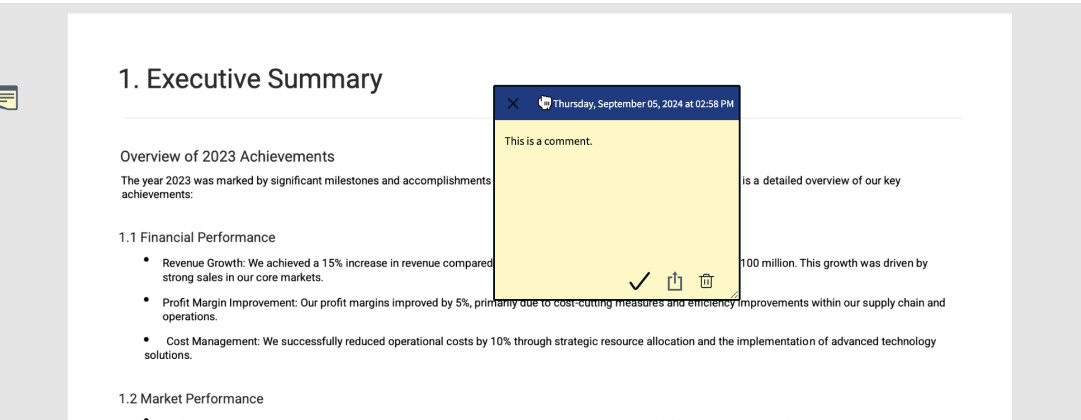
- Keep your annotations and highlights
- The Post-it are reported from the latest version to the new one (they still stay on the first version where they have been created)
- If the number of pages are smaller than the old version, put all the post-it on the last page
Post it can be moved
⭐ Best Practices
- ⭐ Use versioning instead of uploading duplicate documents.
- ✍ Make structural changes early and use versioning for final updates.
- ? Participants should check version indicators before meetings.
❓ Things to Know
- Only users with edit rights can upload new versions.
- Previous versions remain available for reference.
- Annotations are preserved when supported by the document format.
✨ Conclusion
Document Versioning in the Board Portal ensures smooth agenda preparation, informed participants, and strong governance — even when documents evolve at the last minute ⚡.
Was this article helpful?
That’s Great!
Thank you for your feedback
Sorry! We couldn't be helpful
Thank you for your feedback
Feedback sent
We appreciate your effort and will try to fix the article