The Smart Input – Codes Formatter helps ensure that important identifiers and codes are entered in the correct format when creating or editing data in Entities (LEM).
This feature automatically checks and formats the data users enter in certain fields. If the format is incorrect, the system detects it instantly and prevents invalid values from being saved.
This helps maintain clean, consistent, and reliable data across your organization. ✨
⭐ What is Smart Input – Codes Formatter?
Smart Input adds real-time formatting and validation rules to specific custom fields.
When users type information into a field, the system automatically:
- Validates the format of the data
- Applies formatting rules
- Detects errors instantly
- Prevents saving invalid values
This is particularly useful when entering structured identifiers such as:
- Company registration numbers (SIREN, SIRET)
- Internal business codes
- License plate numbers
- Financial values
- Dates with specific constraints
By validating data as it is entered, the system helps reduce manual corrections later.
1️⃣ Supported Field Types
Smart Input works with several types of custom fields in Entities.
The available validation options depend on the field type.
Text fields
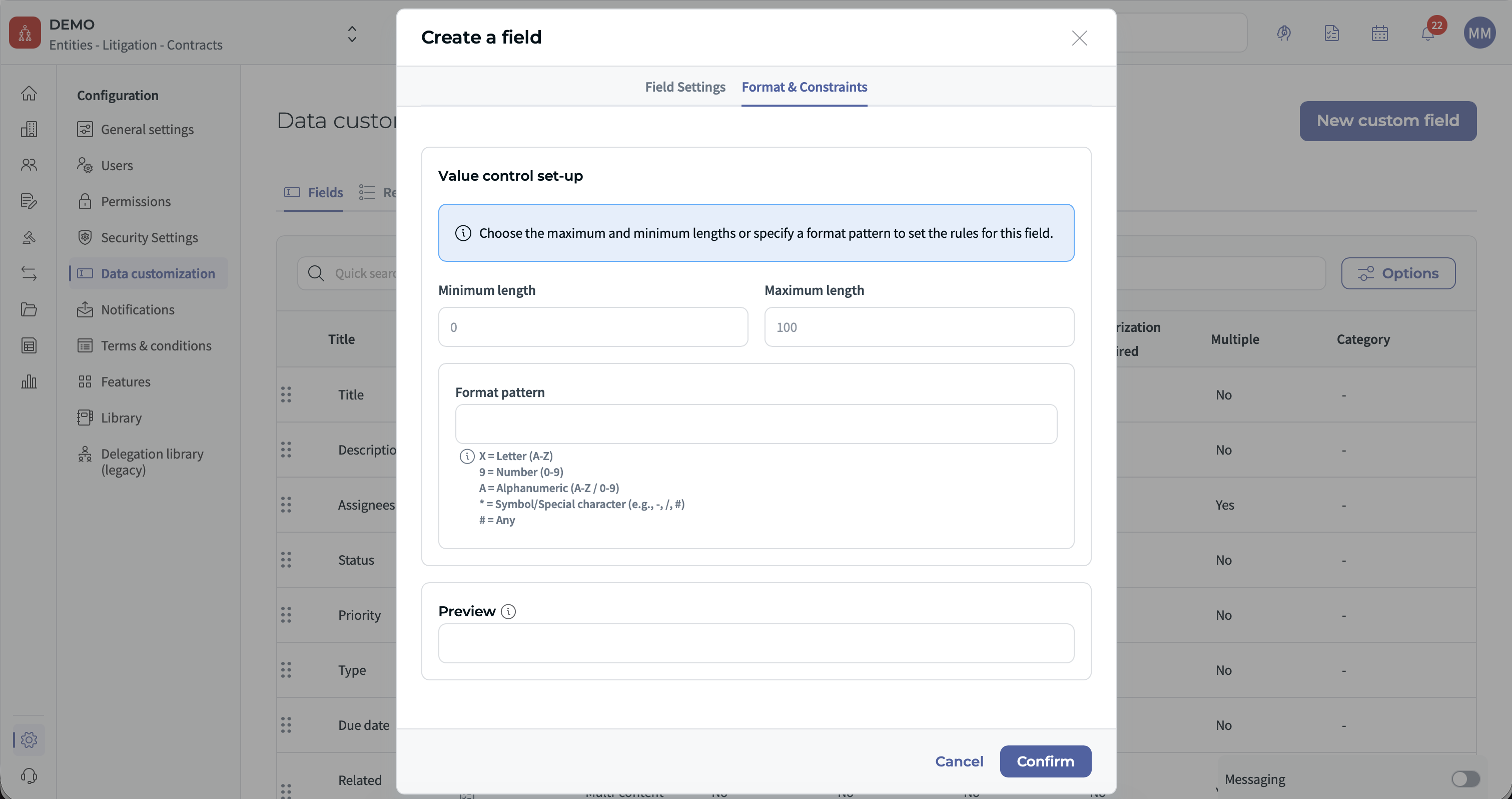
- Minimum length
- Maximum length
- Allowed character types
- Custom formatting patterns
Number fields
- Minimum value
- Maximum value
- Length restrictions
- Format validation
Date fields
- Date must be before a defined date
- Date must be after a defined date
This ensures users always enter valid data that respects the expected format.
2️⃣ How to Configure Validation Rules (Admin)
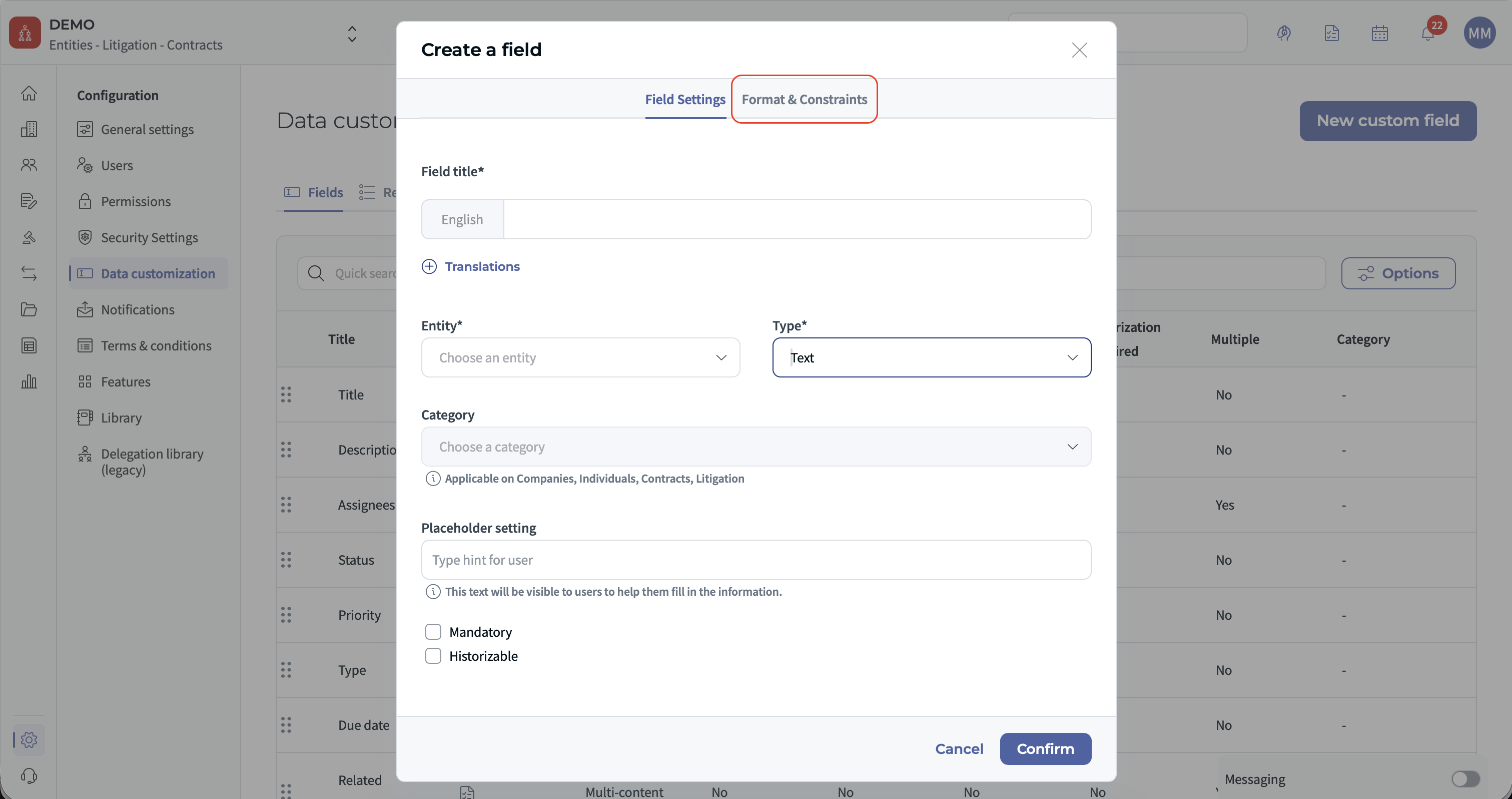
Administrators can configure formatting and validation rules when creating or editing a custom field.
Step-by-step
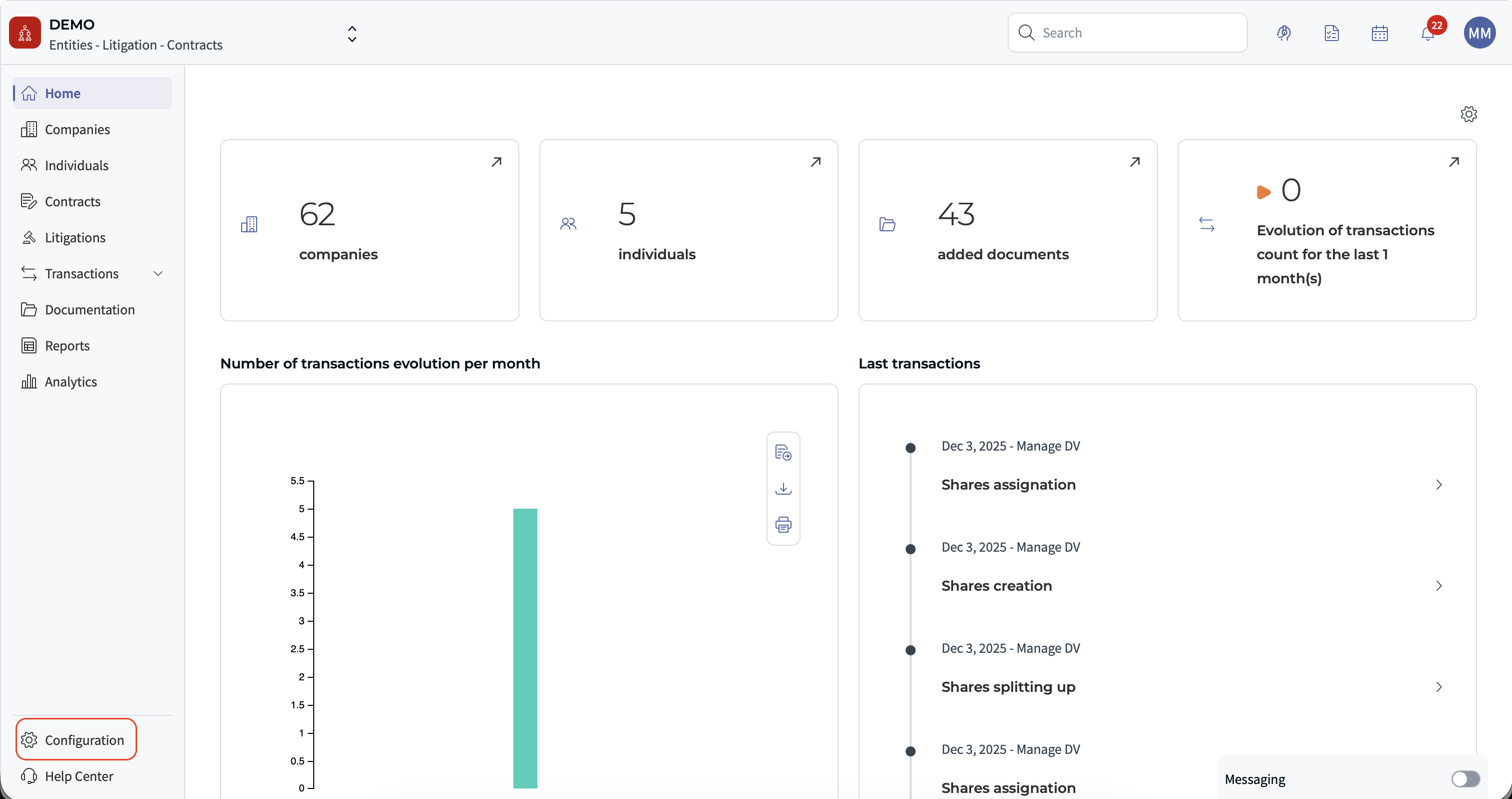
1. Go to the Entities configuration.
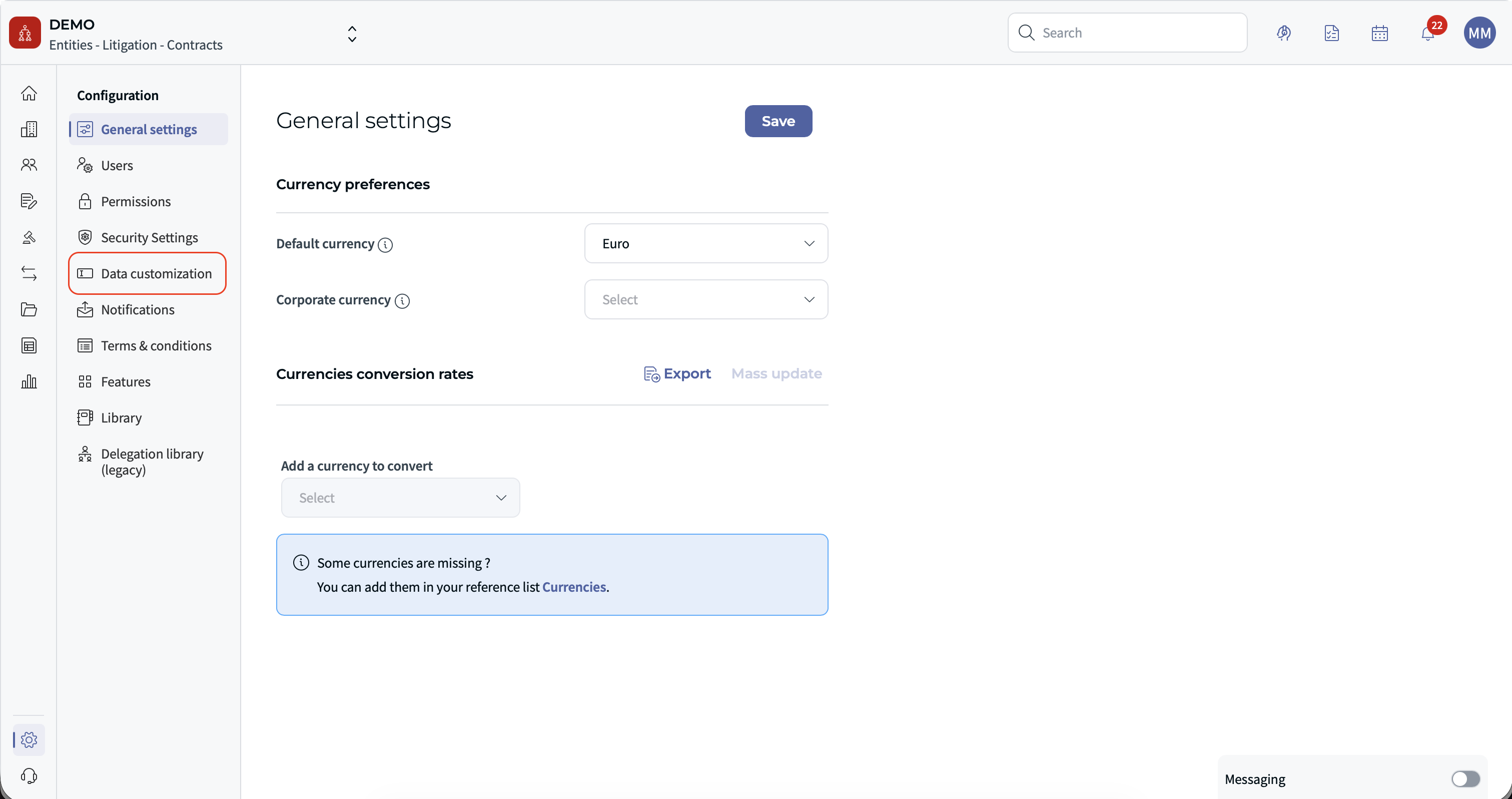
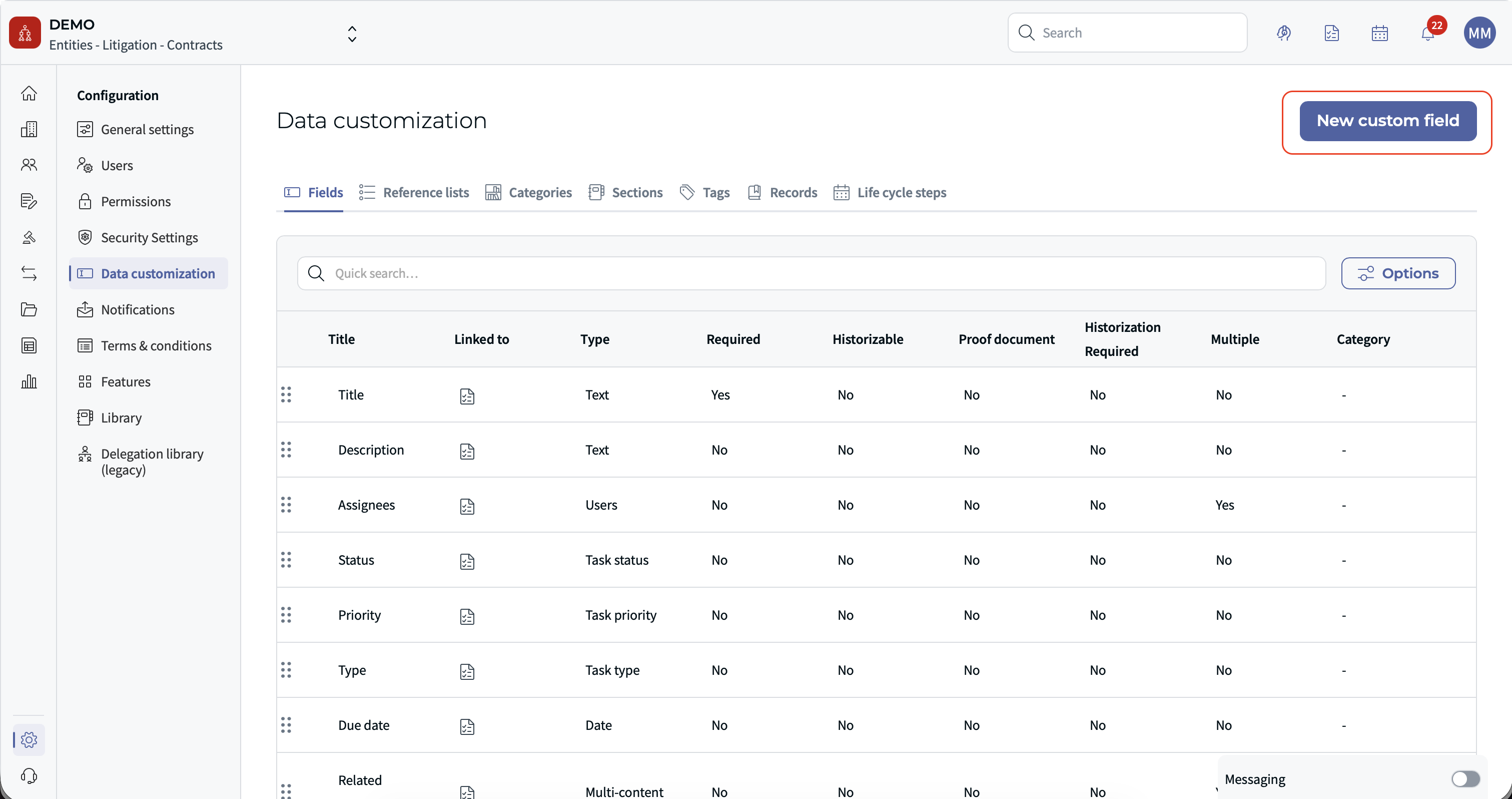
2. Create a new custom field or edit an existing one.
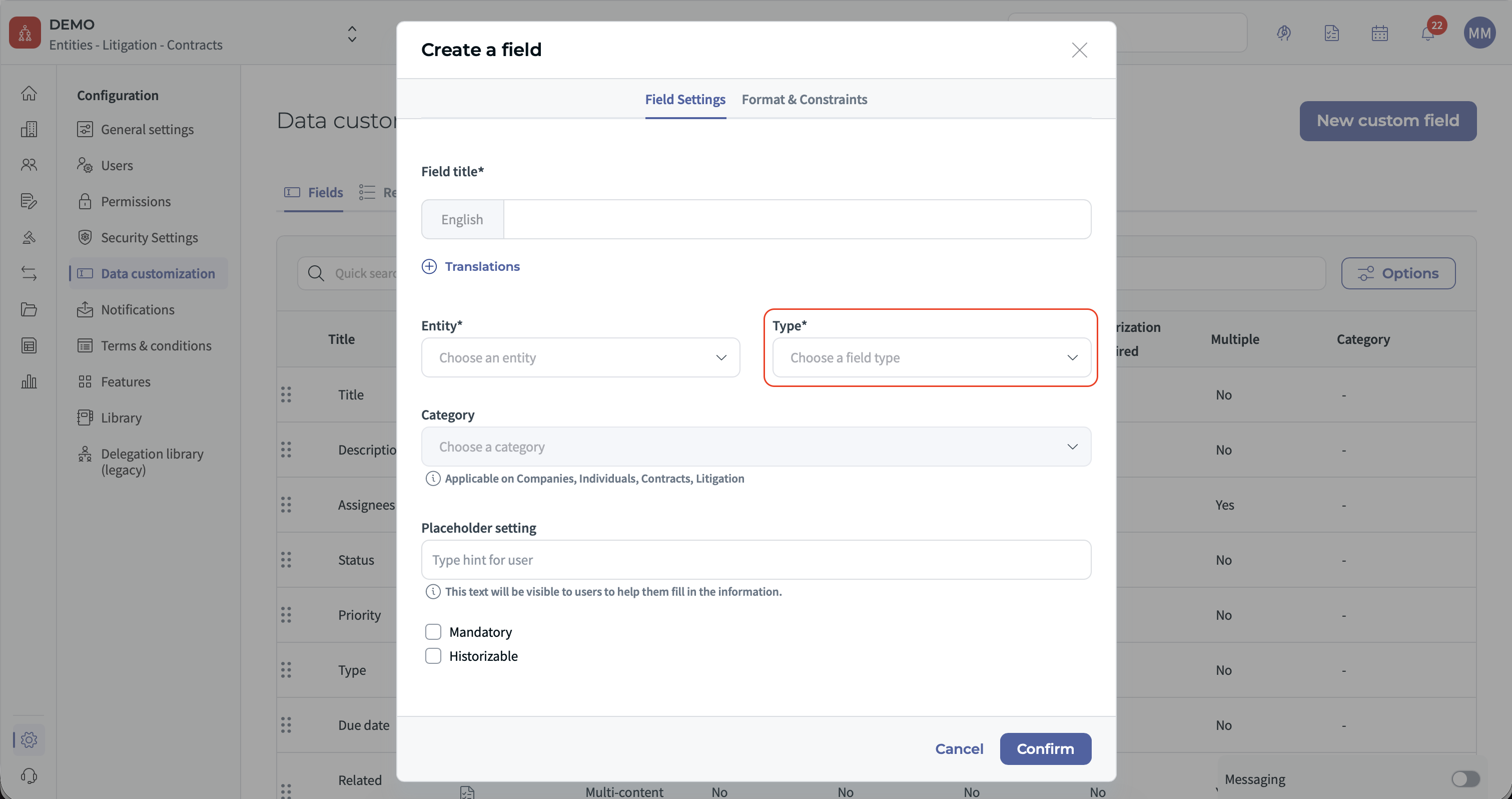
3. Select the field type:
- Text
- Number
- Currency
- Date
4. Define the validation rules:
- Minimum or maximum length
- Allowed characters
- Minimum or maximum values
- Date constraints
5. Save the configuration.
Once saved, these rules will automatically apply whenever users fill in the field.
3️⃣ Using Structured Patterns
Admins can define structured input formats using patterns.
This is useful for codes that follow a fixed structure.
Example pattern:
- LL-NN-**-LL
This could represent:
- Letters
- Numbers
- Fixed characters
- Special placeholders
With this configuration, users can only enter values that match the defined pattern.
If the format is incorrect, the system immediately displays an error message.
4️⃣ What Users Experience
When entering data in a formatted field:
- The system checks the format as the user types
- Invalid formats are immediately flagged
- The record cannot be saved if the rule is not respected
This helps users correct mistakes before submitting the form.
The result: cleaner data and fewer corrections later. ✨
✅ Benefits of Smart Input
- Improves data quality and consistency
- Reduces manual data cleaning
- Prevents invalid identifiers
- Ensures compliance with internal or national standards
- Supports integrations with external systems
For organizations managing large datasets, these validations help maintain reliable records across the platform.
❗ Limitations to Know
- Validation rules must be configured by an administrator.
- The system prevents saving invalid formats — users must correct the value before continuing.
- Formatting rules apply only to supported field types (Text, Number, Date).
❓ Tips for Best Results
- Use validation rules for any field containing structured identifiers.
- Apply patterns for codes that must follow a strict structure.
- Keep rules simple to avoid confusion for end users.
- Test the format before deploying it to production data.
Well-configured validation rules help keep your entity data reliable and ready for reporting or integrations.
Need help configuring validation rules?
Contact your system administrator or support team.
Was this article helpful?
That’s Great!
Thank you for your feedback
Sorry! We couldn't be helpful
Thank you for your feedback
Feedback sent
We appreciate your effort and will try to fix the article