✨ Occasional Attendees in the Board Portal
Boards often need to involve external participants — such as auditors, consultants, or advisors — without granting full access to the Board Portal. Occasional Attendees provide a secure and lightweight way to invite the right people to the right meetings, while preserving confidentiality and full control ⚖️.
☝ What Are Occasional Attendees?
Occasional Attendees are external participants invited to specific board meetings only. They do not receive a full Board Portal account and have no visibility beyond the meetings they are invited to.
- ✅ Access limited to selected meetings
- ? No access to board history or other meetings
- ✍ No full board member account required
This ensures secure collaboration without compromising governance standards.
#1 How to create an Occasional Attendee
- Go to User Management
- Create a new user with Occasional Attendees role
- Define all his personal settings
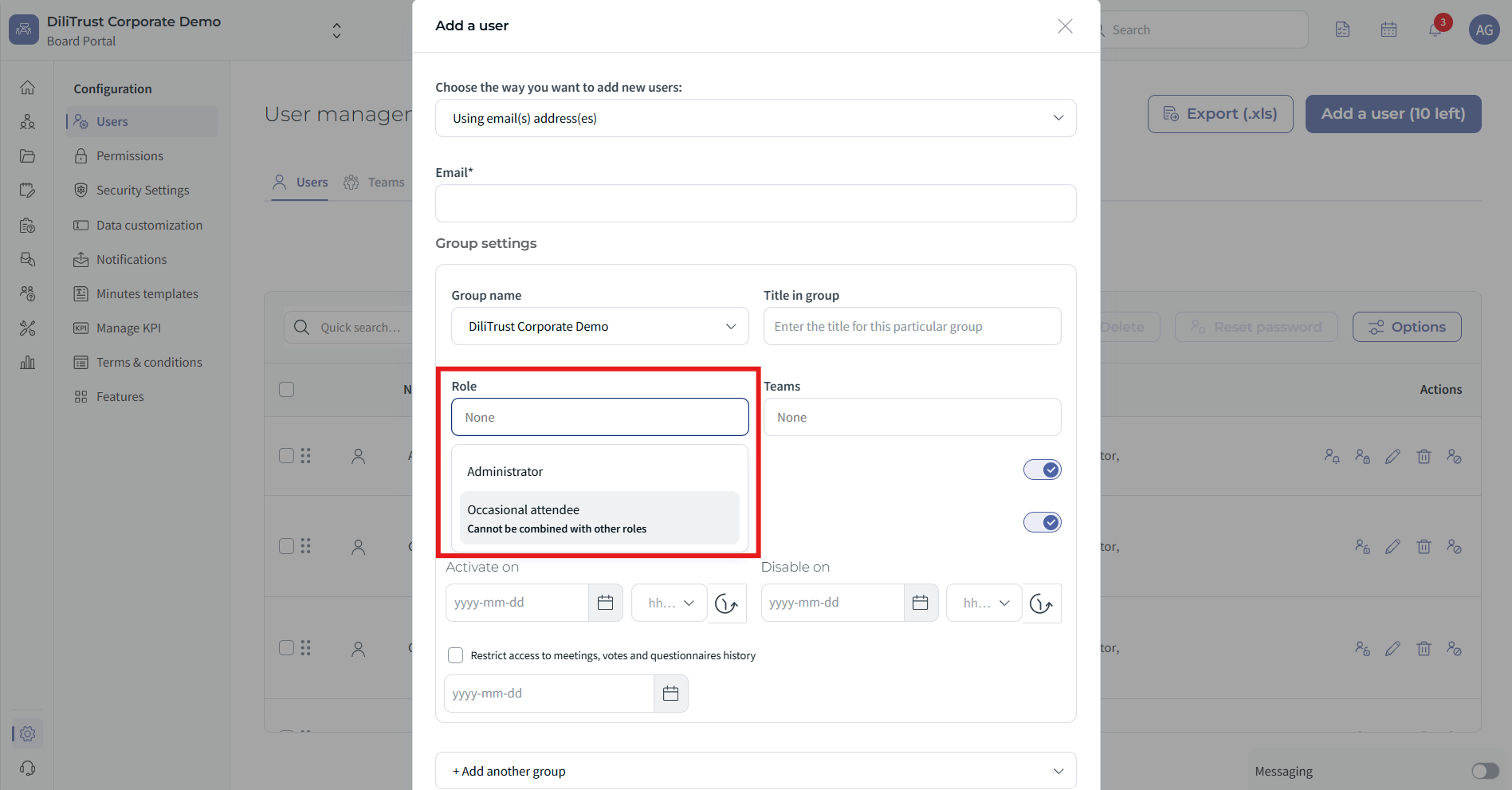
#2 How to Invite an Occasional Attendee
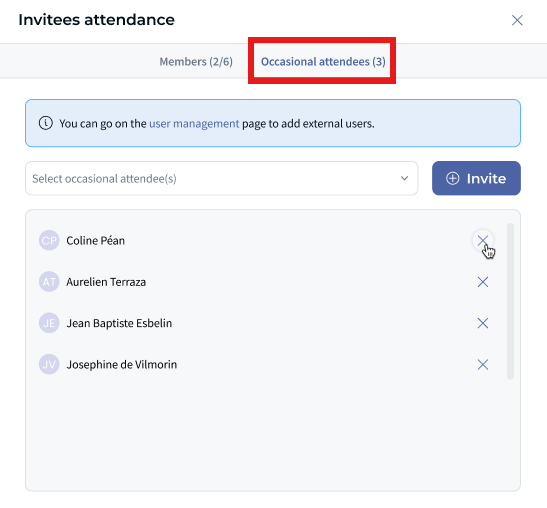
- Open the meeting
- Go to invitation settings -> Occasional Attendee.
- Select the right attendee from the list
Once your invitation is send, define what the attendee can access:
- Agenda items
- Documents
- Meeting details
✅ The attendee can only view the content explicitly shared with them.
❓Typical Use Case
Example:
For a board meeting, the board invites an external auditor or consultant to join a specific agenda item.
- The attendee accesses only the relevant meeting materials
- No visibility into other meetings or board history
- Access can be time-limited if required
This keeps sensitive board information fully protected.
☝ Tips & Best Practices
- ⭐ Use Occasional Attendees for one-time or ad-hoc participation.
- ⚖️ Carefully select which agenda items and documents are shared.
- ✍ Review and remove access after the meeting if it is no longer needed.
❓ Things to Know
- Occasional Attendees cannot access the full Board Portal.
- Permissions are defined per meeting and controlled by administrators.
- This feature is designed for external participants, not internal board members.
✨ Conclusion
Occasional Attendees make it easy to collaborate with external participants while maintaining strict confidentiality and governance. Invite the right people, for the right meeting, with the right level of access — nothing more, nothing less ⚡.
Was this article helpful?
That’s Great!
Thank you for your feedback
Sorry! We couldn't be helpful
Thank you for your feedback
Feedback sent
We appreciate your effort and will try to fix the article