✨ Document Summarization in the DiliTrust Suite
The Document Summarization feature helps you instantly understand the key points of any document without reading it in full. With one click, the AI generates a clear and concise summary directly inside the DiliTrust Suite ⚡.
☝ What Is Document Summarization?
Document Summarization uses AI technology to analyze a document and produce a short, structured overview of its contents. The summary highlights essential information such as:
- ✅ Main topics and sections
- ✅ Key decisions or conclusions
- ✅ Dates, obligations, or figures mentioned
- ✅ Action items or next steps (if relevant)
All of this happens instantly — without downloading or opening the full document.
✍ How to Generate a Summary
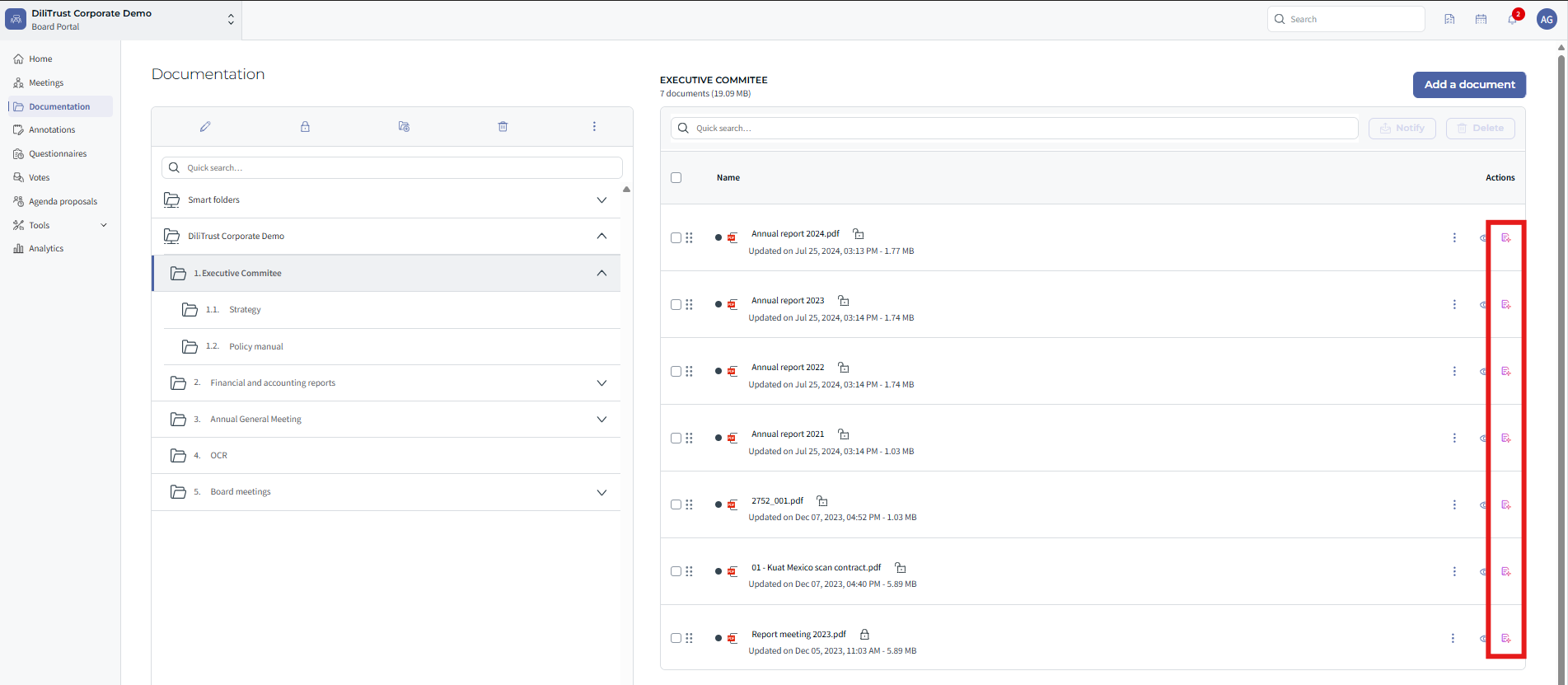
- Chose the document that you want to summarize.
- Next to the document icon ?, click on the AI Summary button.
- A side frame will open displaying the AI-generated summary.
- Review the summary — you can copy it or use it as a quick reference before reading the full document.
- Nb: the first summarization may take a minute.
⭐ Key Benefits
- ⚡ Save time when reviewing long or complex documents
- ✍ Prepare faster for meetings and board reviews
- ? Understand documents in multiple languages without manual translation
- ⭐ Get clarity before opening or sharing the full document
❓ Limitations & Things to Know
- The summary is automatically generated by AI — it should be reviewed for critical or sensitive topics.
- Formatting or visual elements (tables, images) may not be included in the text summary.
- Only accessible for users with permission to view the document.
- Currently supports text-based documents (e.g., PDF, Word).
✨ Conclusion
The Document Summarization feature transforms how you read and prepare for meetings. With one click, you get a clear, concise overview of any document — saving time, improving understanding, and helping you focus on what matters most ⚡.
Was this article helpful?
That’s Great!
Thank you for your feedback
Sorry! We couldn't be helpful
Thank you for your feedback
Feedback sent
We appreciate your effort and will try to fix the article